Less searching.
Put the procedure, brand asset and next action where people expect to find them. Give knowledge an owner and a review date.
Custom Business Systems · Team hubs
A considered home for your company knowledge, team and everyday work. In your brand. Set up with you.
A real look at the foundation
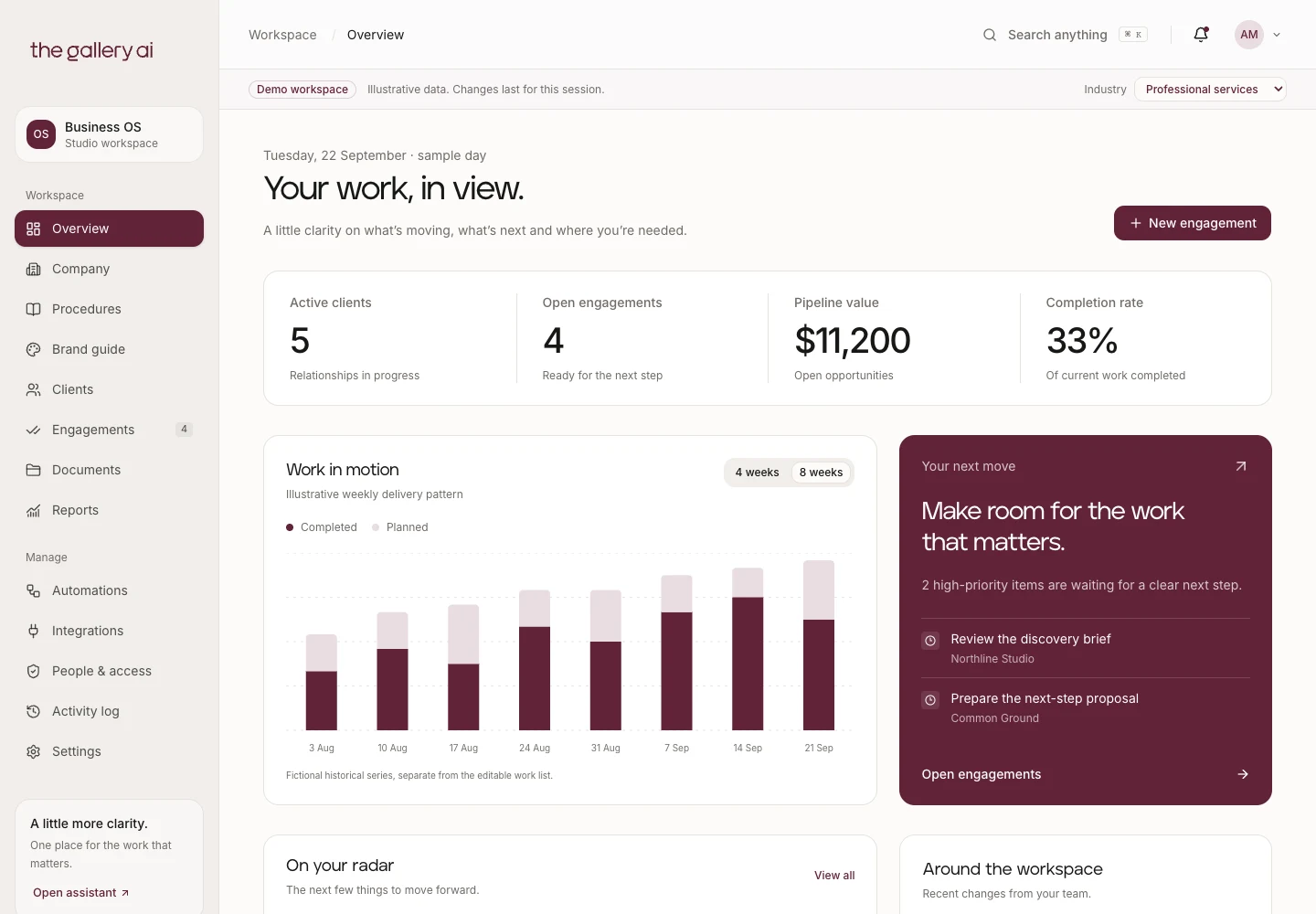
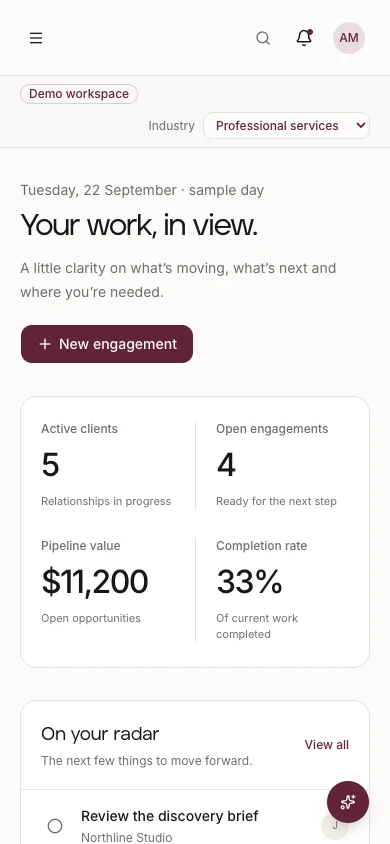
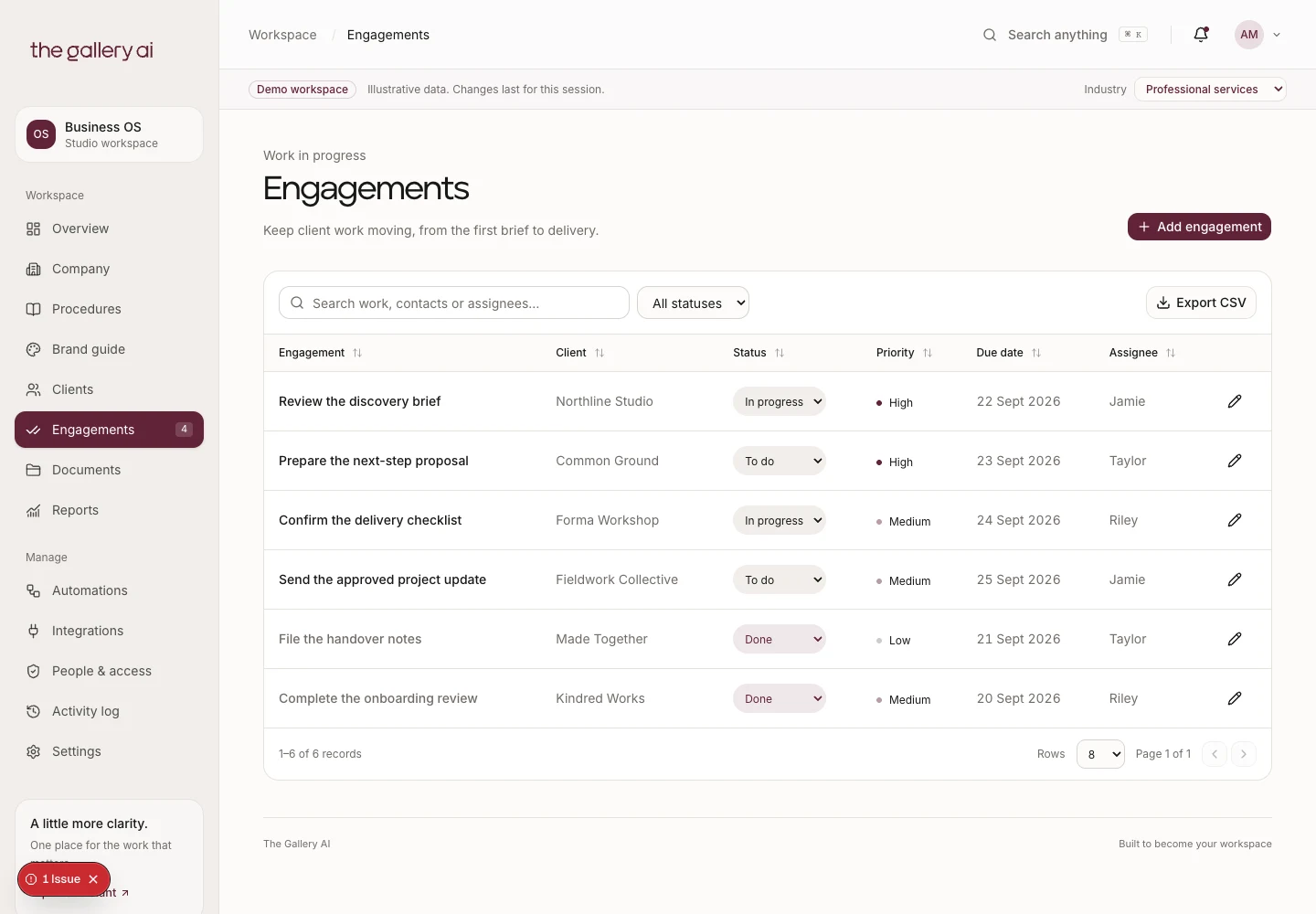
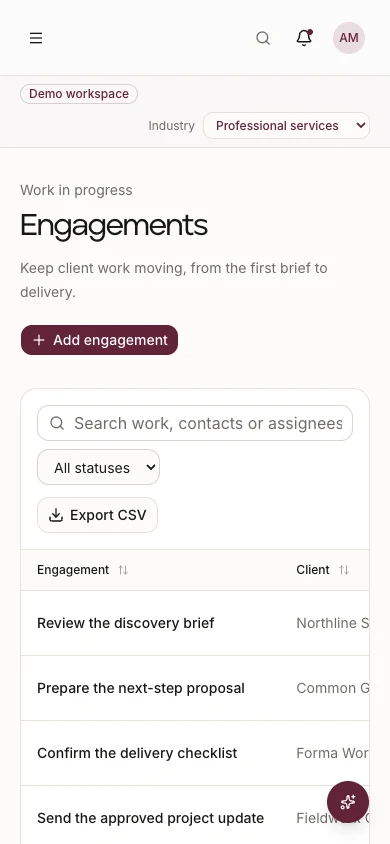
Priorities, people and follow-ups together. Less hunting across tabs for the next thing to do.
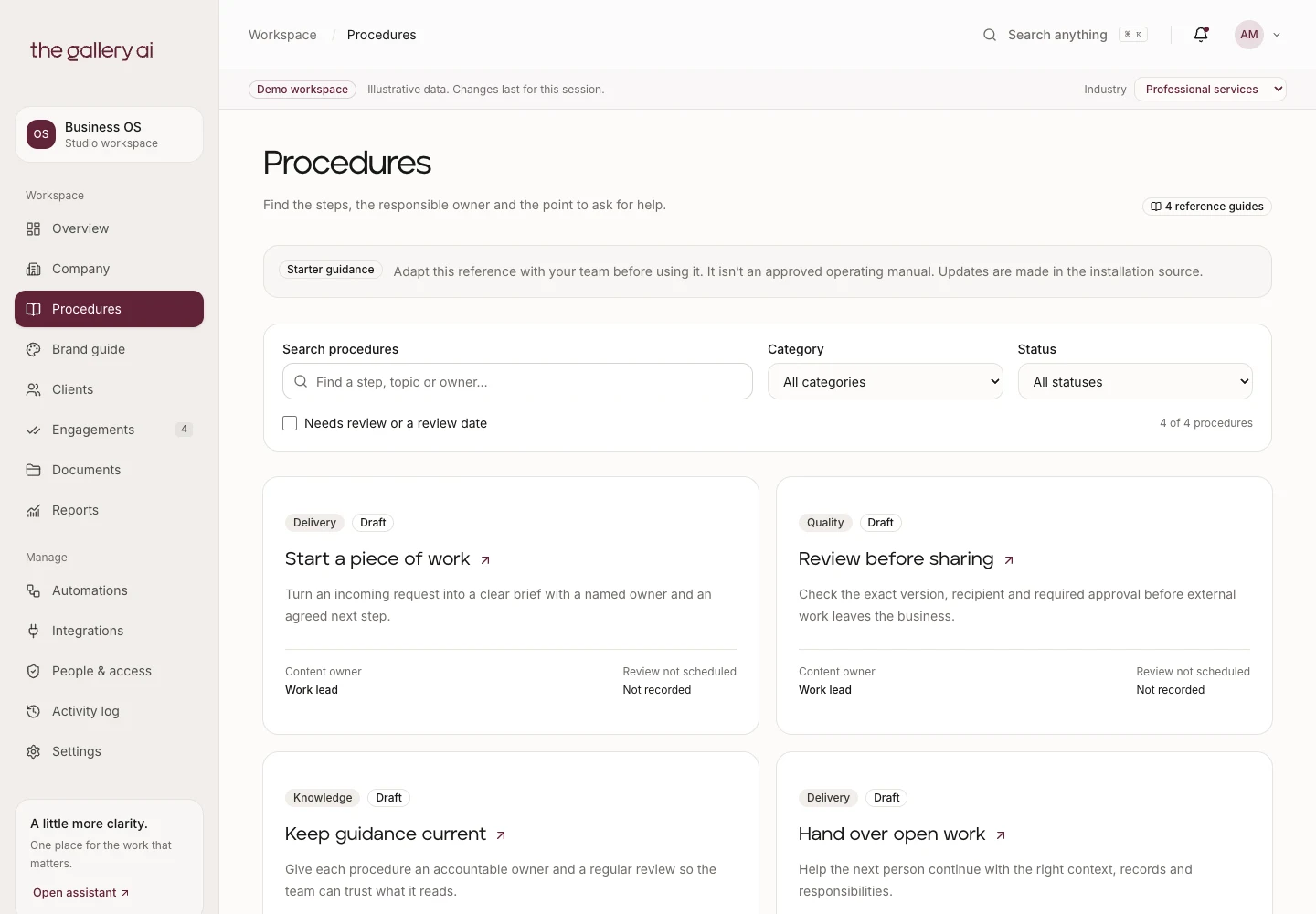
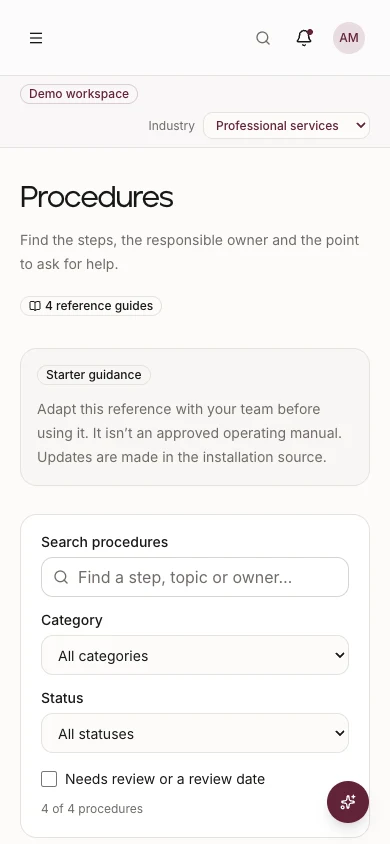
Company context, procedures and brand guidance have a home. Owners and review signals make upkeep visible.
A named owner and a clear next step. Keep specialist tools where they help; bring the everyday view together.
Actual starter screens. Fictional demo records; connected deployment and paid add-ons need client-specific setup.
The aim is a clearer working day. Choose the parts that make your team’s actual work easier.
Put the procedure, brand asset and next action where people expect to find them. Give knowledge an owner and a review date.
A shared view of tasks and responsibilities helps the team see what needs attention without asking the same questions.
Bring everyday views together. Retire a subscription only when its job is genuinely covered; keep specialist systems where they earn their place.
Team hub
Company context, practical working tools and a clear introduction to using them. The starter is built; your connected implementation is scoped and tested with your operator.
Company information, responsibilities and a searchable procedure library, with ownership and review signals.
Your logo, colours, approved writing direction and examples in one place. Your workspace carries your identity.
The dashboard, contacts, tasks and document patterns give the team a consistent starting point. Live data connections are agreed per client.
Access, account ownership, review points, export arrangements and operating instructions, with training for a named person in your team.
The foundation includes the responsive workspace, authentication patterns, database access rules and configurable core screens. Demo records are fictional. Company, procedure and brand content comes from client configuration; these screens are not a live content-management backend.
Connected data, file storage, external actions and provider accounts need implementation and verification in the agreed client environment. Approval, export and recovery requirements are acceptance checks in your scope, not promises that every integration is already installed.
One workspace. Room to grow.
Bring the enquiry, response and next action into the same workspace.
Forms & Intake · planned add-onA staff card, contact details and the right booking route, all in your brand.
Team Cards & Bookings · planned add-onPlan content, prepare it in your voice and review it before publishing through a supported service.
Social Studio · planned add-onTurn approved knowledge into a branded guide and deliver it through an agreed email workflow.
Guides & Email · planned add-onThe next steps, useful contacts and what to expect.
Interactive concept preview. These modules need scoped implementation.
Less overlap. Less to manage.
Fewer subscriptions where they overlap. Connected tools where they help.
 Company knowledgeConsolidate selected uses
A company hub and procedure library can cover a focused knowledge use case. Keep Notion if you rely on its wider editing or collaboration features.
 Tasks & follow-upsConsolidate selected uses
A configured OS can bring everyday task ownership into the team’s workspace. Board rules, automation and imports need to be agreed and tested.
 Forms & intakeAssess a future replacement
The planned Forms & Intake add-on may cover a simple form and response workflow. Complex logic, payments and specialist features need a separate check.
 Staff & bookingsConnect or keep
Use an existing booking service through the planned cards and booking experience. Don’t cancel it unless its availability, routing and calendar functions are actually covered.
Illustrative comparisons, not feature-for-feature replacements. Logos identify the products discussed; no affiliation or endorsement is implied. Savings require subscriptions you actually cancel.
Estimate time and subscription savingsOptional modules extend the same foundation. These add-ons are planned and quoted against your needs. Availability, connections and delivery dates are confirmed before commitment.
Quoted to scope
Branded content creation, a calendar, review and supported Facebook/Instagram scheduling through an agreed publishing service.
Your team can operate it. Ongoing content production is a separate service.
Quoted to scope
Branded forms, response views and agreed follow-up steps, so incoming information has somewhere useful to go.
Field types, volumes, payments and custom connections are scoped separately.
Quoted to scope
Create guides in your company’s style, export web/PDF versions and deliver approved material through Resend.
Sending domain, approval, volumes and delivery costs are agreed during setup.
Quoted for your team
Company and staff digital cards, QR sharing, contact downloads and team booking pages together.
Staff count, calendar access, reminders and routing determine the scope.
Modules are additional to your team hub, quoted according to scope and readiness. Software subscriptions are separate unless your proposal includes them.
Planned add-ons
Leave your details and Thomas will let you know when the add-on you need is ready.
Make the benefit measurable
Finding the right procedure, following up a task or preparing the same information can become simpler. Estimate the opportunity using your own team’s working day.
Illustrative assumptions, not observed client results. Measure a baseline, pilot the workflow and compare after four weeks. Entries stay in this page and aren’t sent to us.
Your software bill, separately
Your implementation fee pays for our work. Hosting, data, email and AI usage belong in your own operating budget. Start with this example, then adjust it.
Example: Netlify Pro + one Supabase Pro project + Resend Free starts at US$45/month before extras. The default A$1.50 exchange rate is illustrative, not a live quote.
Paid plan prices are starting costs; usage can increase the bill.
Hosting: Netlify Free has 300 monthly credits; Personal has 1,000 and Pro 3,000. Production deploys, traffic and compute consume credits. Exhausting a team’s credits can pause its projects; paid top-ups are optional. Vercel Hobby is for non-commercial personal use, so it isn’t the budget for a business deployment. Vercel Pro includes one deploying seat and usage credit; extra seats and usage cost more.
Database and email: Supabase Pro starts at US$25 for an organisation with a first Micro project; additional projects, compute and add-ons change the total. Its spend cap does not cap every charge. Free projects can pause after inactivity. Resend Free allows 3,000 emails/month with a 100/day limit; Pro starts at US$20 for 50,000, with overages extra.
Running the repair: You use your own Claude Code or Codex account. Your existing allowance may cover it, but a large project or repeated testing may use more. Set a budget before running; don’t buy a higher plan just because a kit suggests it. AI used inside a deployed app is billed separately from a coding-assistant subscription. Zero in the planner means you have entered no extra allowance, not unlimited free AI.
Optional tools: Keep subscriptions that still do a useful job. Social publishing and booking may retain per-channel or per-host charges. Storage, monitoring, backups, domain renewal and any specialist help also need a budget. Use the additional-tools and usage fields for these.
Checked 23 September 2026. Verify vendor terms before purchase: Netlify, Vercel, Supabase, Resend, Buffer, Calendly.
You control the accounts by default. Ongoing management is an optional service with agreed work and capacity.
Monthly quote
Care for agreed systems, advice and planned improvements. Included work, review points and ongoing costs are set out in your proposal.
Explore ongoing supportSoftware subscriptions, hosting and usage costs are separate unless expressly included.
Choose the outcome, users, content, accounts and scope. Confirm fees and delivery dates.
Configure the foundation, add agreed connections and test real tasks with your nominated operator.
Practise the workflow, document recovery and choose self-operation or ongoing care.
When several business systems and custom workflows need to work together, broader team connections start from $45,000 + GST for teams of up to eight users. Larger teams are quoted. Planning and Blueprint work is separately scoped within the project. We’ll recommend a smaller engagement if it solves the problem.
Start with the work your team repeats, searches for or hands over.